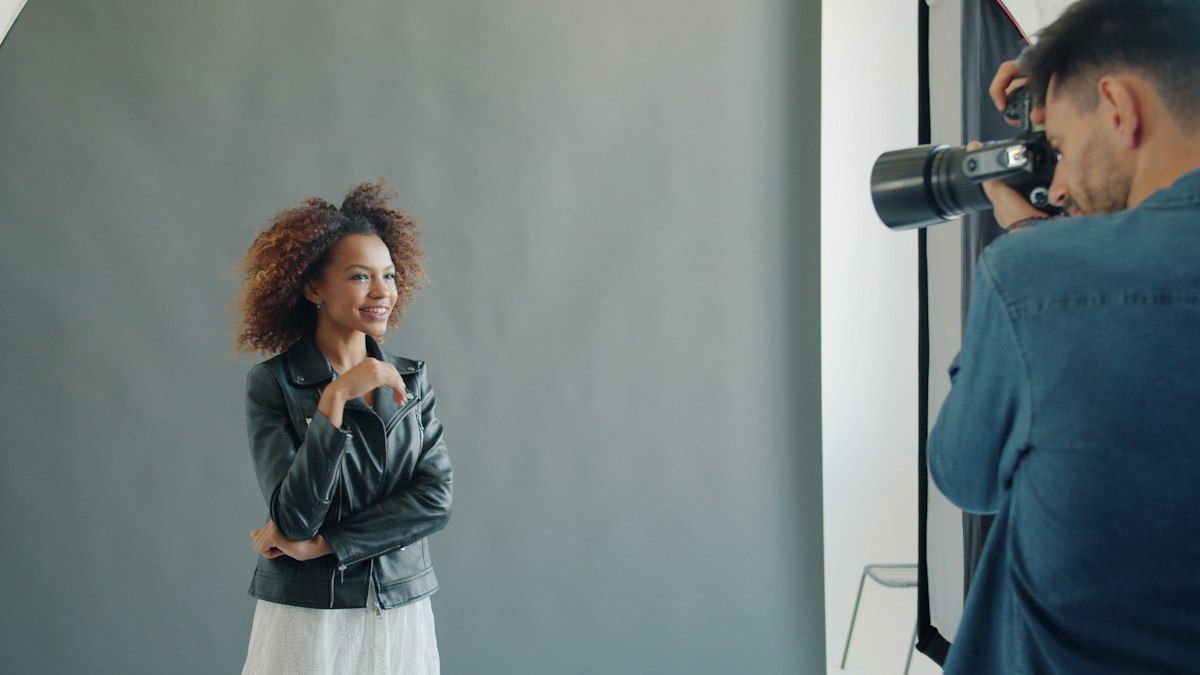
A model release exists mostly to prove one thing: the person in your frame agreed to let you use their face, name or voice the way you are using it. The claim it is meant to head off goes by a few names. You will see it called misappropriation of likeness, appropriation, or a right-of-publicity claim. The core complaint is the same each time: "you used me to sell something, and I never said yes."
This guide covers what the claim is, how it changes from state to state, and how a release matched to your shoot documents consent. It is general background based on standard industry practice, not legal advice, and nothing here predicts how a court will rule on any set of facts.
What misappropriation of likeness means for a working photographer
The classic version comes from the Restatement (Second) of Torts. Under § 652C, "Appropriation of Name or Likeness", one who appropriates the name or likeness of another to his own use or benefit is subject to liability for invasion of privacy. The comments describe the protected interest as a person's exclusive use of their own identity, a right "in the nature of a property right" that can be licensed to someone else.
That last point is the whole idea behind a release. The subject owns the right to their identity. Your signed form is the license.
It also helps to know what this claim is not. The Restatement treats intrusion upon seclusion (§ 652B) and publicity given to private life (§ 652D) as separate privacy claims. Those deal with how you got a shot or what private facts you exposed. Appropriation is about what you do with someone's identity after the shutter clicks.
"Likeness" also reaches past a face. The Texas Music Office's guide to misappropriation defines it as using someone's identity, meaning their name, image, voice or other recognizable traits, for an advantage without permission. Its example is a sound-alike voice or a familiar catchphrase used to suggest an endorsement. If you shoot video with dialogue or voiceover, that matters.
Using someone's likeness without permission: what counts as commercial use
The Restatement says the common form is using a person's name or likeness to advertise the defendant's business or product, or for a similar commercial purpose. The clear cases look like this:
- A paid social ad or billboard for a brand
- Product packaging or a catalog page
- A client's website selling a service
- Your own studio's ads that feature a past client's face
That last one catches people. Promoting your own business is still promotion.
The line is not the same everywhere. The Restatement notes that apart from statute, the rule is not limited to commercial use. It can apply when the use serves the defendant's own purposes and the benefit is not money. Some state statutes, by contrast, limit liability to commercial uses. Texas, per the same state guide, recognizes certain uses without consent, often tied to expressive works and material that is mainly newsworthy or political.
So "editorial" is not a magic word, and "it's just my portfolio" is not a full answer. For a closer look at where the line tends to fall, see our guide to commercial vs. editorial licensing.
Why the claim looks different from state to state
The right of publicity is state-based, so the details vary by state. Some states have a statute. Some rely on common law built from court decisions. Some have both, and the statute may be narrower or broader than the common-law claim.
New York is the sharpest example. Under New York Civil Rights Law § 50, a person, firm or corporation that uses a living person's name, portrait, picture, likeness or voice for advertising or trade purposes without first getting written consent is guilty of a misdemeanor. For a minor, that written consent must come from a parent or guardian. The Senate page shows the section was last revised on 2024-05-03. Note the word "written." A verbal okay on set is not what that statute asks for. Our New York photographer checklist walks through it further.
Texas frames part of the right as a property right tied to controlling commercial use of a deceased person's identity. That right can pass through estate planning or to heirs, with a term limit measured from the person's death. The state guide lists possible remedies including damages, profits tied to the unauthorized use, and in some cases attorney's fees and costs. It also notes recoveries can include harms like mental anguish and economic losses like past or future wages, depending on the facts. More detail is in our Texas model release breakdown.
California has its own publicity statute too, covered in our piece on California influencer shoots. The practical takeaway: the state where you shoot shapes what a release should say.
Where photographers create exposure without noticing
Most problems do not start with a bad shoot. They start when an image drifts into a use nobody discussed. Common drift points:
- Portfolio to paid ad. A portrait or headshot session ends up in your studio's paid promotion.
- Client to brand. You deliver files to a client, who passes them to a sponsor or agency.
- Archive to stock. An old session gets uploaded to a stock library years later.
- Event to promo. Crowd shots from this year's event headline next year's ticket ad.
- Video with voice. A recognizable voice in a reel suggests an endorsement the speaker never gave.
- Newborn or family sessions. A baby's portrait appears in studio marketing without a parent's signature on file.
- Boudoir. A private session image shows up in marketing without specific written consent for that use. This is a consent and privacy question first.
Here is a made-up example. Say a portrait photographer in New York shoots headshots for an actor, and nobody signs anything. Two years later the photographer runs the best frame in a paid ad for headshot season. That is the kind of advertising use the New York statute talks about, and the photographer has nothing in writing to show consent. You can build a model release form for your shoot type and state and check the free watermarked preview first.
How a release documents consent, scope and duration
A good release answers four questions in writing: who agreed, to what uses, for how long, and under which state's rules. A generic template often skips the last three, which is the gap our page on why free templates fall short covers.
Here is how those questions map to a release built for the shoot:
- Who. The photographer's name and the subject's name. For a child, a parent or guardian signs, which lines up with New York's parent-or-guardian rule.
- What uses. Specific usage categories such as social media, website or portfolio, print, advertising, stock libraries and editorial. Ticking only what you need keeps the scope believable. Ticking advertising when you plan to run ads keeps it accurate.
- How long. Perpetual, or a set term. Our article on perpetual release terms weighs the tradeoffs.
- Where. The state the shoot happens in, so the language fits local practice.
A release documents consent. It does not guarantee an outcome. No template can promise how a court in any state will read it, and every SignedShoot document says it is a template, not legal advice.
Getting the release ready before the shoot
The time to sort this out is before the session, not after the image is already in an ad. SignedShoot builds model, property, minor, crowd, NDA, social-media-use and bilingual releases in your browser. The flow takes about a minute:
- Open the photo release form generator or the form on the homepage.
- Pick the Release type (for example Model release or Minor model release), the Shoot type (Wedding, Boudoir, Newborn, Commercial, Portrait and others) and Where is the shoot? from all 50 states plus Washington, D.C.
- Enter your name and the subject's name. For a minor, add the parent or guardian name.
- Under "More details (optional)," tick the boxes for what the photos can be used for, and choose how long the release runs: Perpetual (no end date), One year, Three years or Five years.
- Generate the preview. The free version is a complete watermarked PDF you can download with no account.
- To remove the watermark and add your logo and studio details, unlock one release type for $29 one-time, or all seven with the $49 one-time Forms Pack. You get a clean PDF and an editable .docx.
Signing happens outside SignedShoot. Print it and have the subject sign and date in pen, or open the PDF on a phone and sign with Markup on iPhone or iPad, or Fill & Sign in Adobe Acrobat Reader on Android. Add your own signature, keep a copy and send one to the subject. SignedShoot sends nothing to the subject and stores no signed copies. Subject details stay in your browser.
Shooting kids this season? The minor model release generator is preset for parent or guardian consent. Either way, get the paper signed before you get the shot.